
Most email finder tools promise “accurate leads,” but you still end up with bounced emails or generic [email protected] addresses that never land inbox.
You try one tool after another hoping for better results.
But either the data’s outdated, verification failed, or bulk searches return half-verified results.
You need an email finder tool that finds real, verified, up-to-date emails, runs real-time verification, and actually helps you reach the right person.
We have researched and listed some advanced email lookout tools. They combine authentic data, AI-powered verification, and intent insights to give you the most reliable, outreach-ready contacts, every time.
Let’s check out these email finder tools one by one.
Email Finder Tools Quick Comparison (2026)
| Email Finder Tool Name | Best For | Free Credits | Pricing |
| Snov.io | LinkedIn prospecting, SaaS outreach | 50/month | Free Starter $39/mo Pro $99/mo |
| Skrapp | Beginners, recruiters, SMB sales teams | 100/month | Free Professional $39/mo Enterprise $349/mo |
| LinkedIn Sales Navigator | Identifying decision-makers | 50 InMail credits | Core $79.99/mo Advanced $139.99/mo |
| Apollo.ai | Full-funnel outbound sales | 75/month (per user) | Free Basic $59/mo Pro $99/mo |
| Adapt.io | Quick B2B email discovery | 50 (trial) | Starter ~$49/mo; Basic ~$99/mo |
| GetProspect | Affordable LinkedIn extraction | 50/month | Free Starter ~$49/mo Growth tiers up to $399/mo |
| Reply.io | Multichannel sales outreach | No free credits | 14-day free trial; plans from ~$99-$179/mo |
| Cognism | Enterprise & compliance-heavy teams | No free plan | Contact sales team for pricing |
| Clearout | Email verification & list cleaning | 100 credits | Free Starter ~$18/mo Pro ~$52/mo |
| Prospeo | Google & bulk domain searches | 100 credits | Free Starter ~$49/mo Growth ~$99/mo Pro ~$249/mo |
10 Best Email Finder Tools In 2026
1. Snov.io
Best for: LinkedIn prospecting, SaaS outreach, bulk domain searches
Free Credits: 50 free, non-renewable monthly credits (on Free plan)
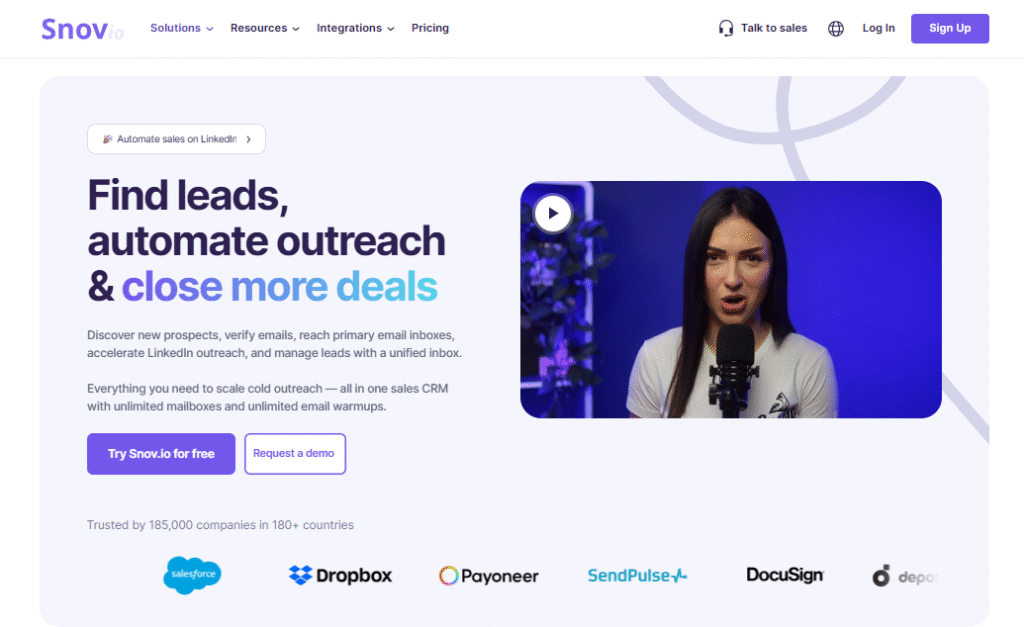
Snov.io is an email finder tool with one of the biggest and most reliable databases out there. It offers high accuracy at an affordable price and is already trusted by over 3M professionals worldwide.
With Snov.io, you can easily find verified business email addresses, build targeted prospect lists, and manage your outreach.
Just upload a list of domains and get verified emails through the Bulk Domain Search. You can then find company emails by name, industry, size, or location. You can even filter leads by job title or skills to match your ideal prospects.
Plus, it also has an email finder Chrome Extension to let you collect leads directly from company websites and Google search results.
Key Features of Snov.io:
- Find verified emails by domain, company, or name.
- Upload bulk lists to get verified emails in seconds.
- Find emails from websites, LinkedIn, and Google results.
- Save contacts directly to your CRM or Google Sheets.
- Use the Email Finder API for real-time email data.
- Search leads by job title, skills, or location.
- Verify your emails with a 7-tier process in seconds.
- Explore up to 20,000 domains at once with bulk search.
- Integrate easily with 5,000+ apps like HubSpot and Pipedrive.
Pros of Snov.io:
- Start free with 50 monthly email lookups.
- Email verifying tool reduces bounced emails.
- Responsive and helpful support team.
Cons of Snov.io:
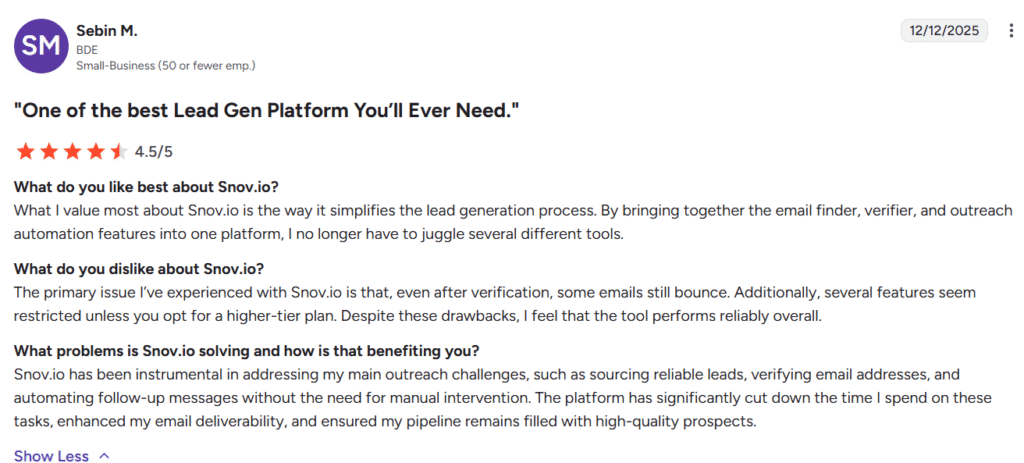
- Email verification isn’t always 100% accurate.
- Credits run out fast during multiple campaigns.
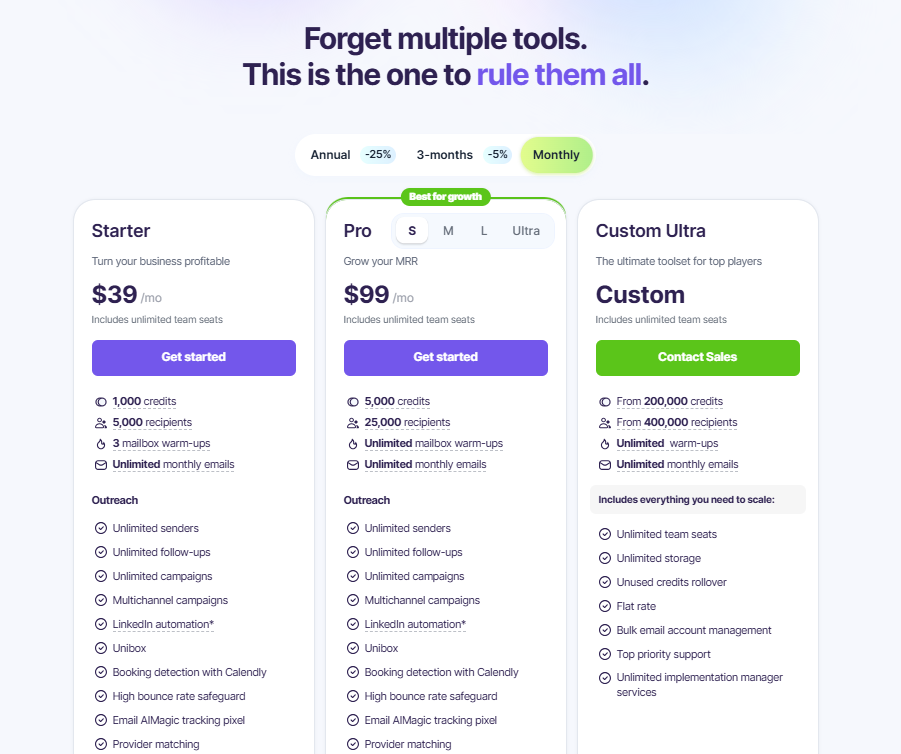
Pricing of Snov.io:
- Free trial plan available (50 free email searches per month)
- Starter Plan: $39/month
- Pro Plan: $99/month to $738/month
- Custom Plan
What Sebin M. like and dislike about Snov (Source: G2),
2. Skrapp
Best for: Beginners, recruiters, sales, marketing, small outbound teams
Free Credits: 100 free credits
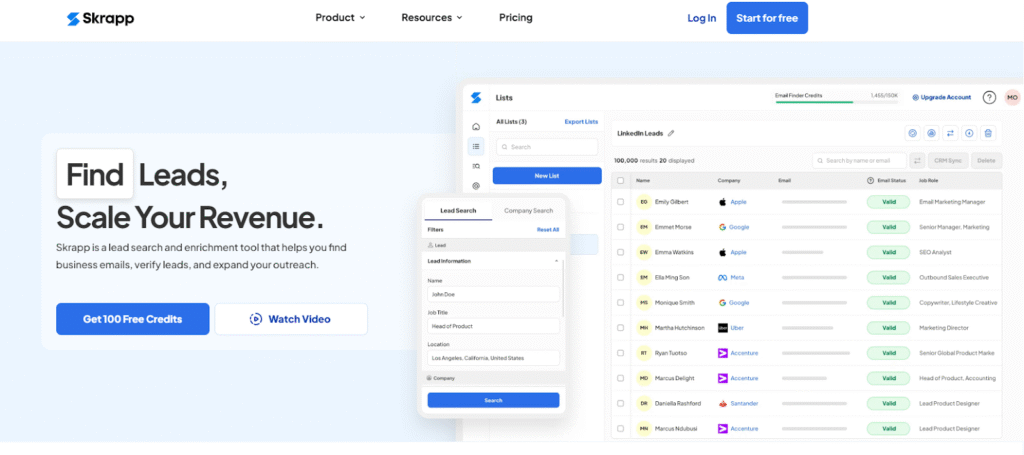
Skrapp.io is a simple and reliable email lookup tool. It helps you find and verify professional emails in seconds. It’s completely free to start and comes with a massive database of 200M+ professionals and 20M+ companies.
Skrapp scans public web pages and uses AI for accuracy. You just have to enter a name and company to get verified email addresses. Filter leads by job title, company size, industry, or location.
Use its Bulk Email Finder to handle large contact lists. Get company info like revenue and team size for outreach.
Skrapp also offers both Chrome and LinkedIn Sales Navigator extensions, letting you extract verified business emails directly from profiles and list.
Key Features of Skrapp:
- Find and verify professional emails by name, company, or domain.
- Upload CSV or Excel files to find thousands of emails in bulk.
- Automate email search with easy API integration.
- Verify every email to reduce bounce rates and improve email deliverability.
- Connect with CRMs like HubSpot, Salesforce, Pipedrive, and Zoho.
Pros of Skrapp:
- Clean, intuitive dashboard that’s easy to navigate.
- Lets you manage and export lead lists seamlessly.
Cons of Skrapp:
- Limited filters and CRM integration options.
- Struggles to find emails in niche industries or inactive profiles.
Pricing of Skrapp:
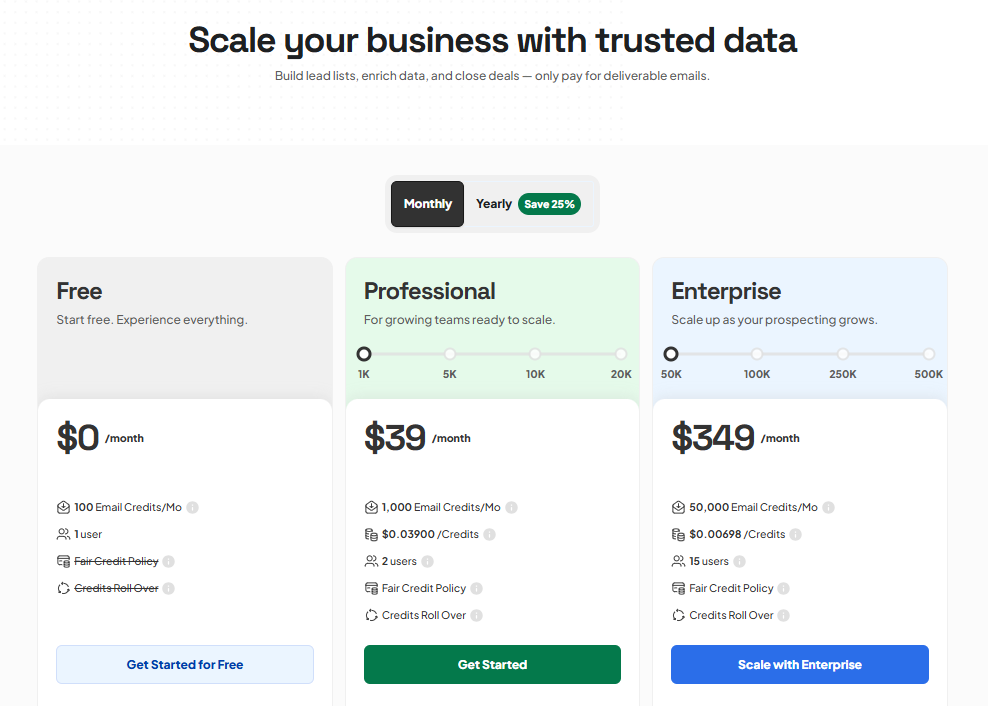
- Free Plan available (100 email credits/month)
- Professional Plan: $39/month to $199/month (1000 email credits/month to 20,000 email credits/month)
- Enterprise Plan: $349/month to $1,499/month (50,000 email credits/month to 500,000 email credits/month)
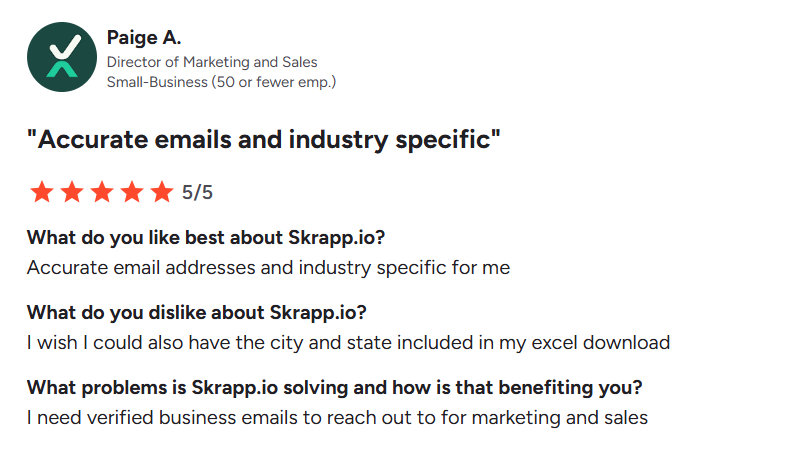
What Paige A likes and dislike about Skrapp.io (Source: G2)
3. LinkedIn Sales Navigator
Best For: Identifying decision-makers before email extraction
Free Credits: offers 50 monthly InMail credits (up to 150 accumulated) to message users outside your network.
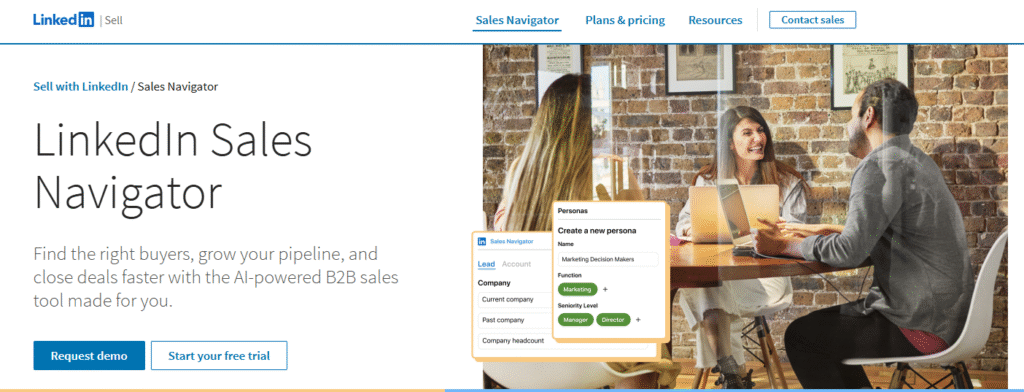
LinkedIn Sales Navigator is a premium lead generation and prospecting tool by LinkedIn. It helps sales professionals, marketers, and recruiters discover and connect with the right people.
While it doesn’t directly show email addresses, it works perfectly with email finder tools to help you find email addresses, identify, organize, and reach verified leads faster.
You can use advanced filters to find highly targeted prospects. Once you’ve built your lead list, you can integrate Sales Navigator with tools like Snov.io, Skrapp, or GetProspect to extract and verify professional emails instantly.
Key Features of LinkedIn Sales Navigator:
- 50+ Advanced lead search filters like job title, company size, industry, and location
- Save and organize leads or accounts for easy tracking
- Sync lead data with CRMs like HubSpot, Salesforce, or Pipedrive.
- Account Maps to track key decision-makers in target companies
- Integrate with Chrome extensions to find verified emails directly from profiles.
- Receive personalized lead recommendations based on your activity.
Pros of LinkedIn Sales Navigator:
- Integrates well with most email finder tools.
- Provides deep insights and updates on prospects.
Cons of LinkedIn Sales Navigator:
- Premium subscriptions can be expensive for small teams.
- Limited export options without third-party tools.
Pricing of LinkedIn Sales Navigator:
- LinkedIn Sales Navigator Core : $79.99/month ($959.88/year)
- LinkedIn Sales Navigator Advanced: $139.99/month ($1,679.88/year)
- LinkedIn Sales Navigator Advanced Plus: custom pricing, starts at $1600/year
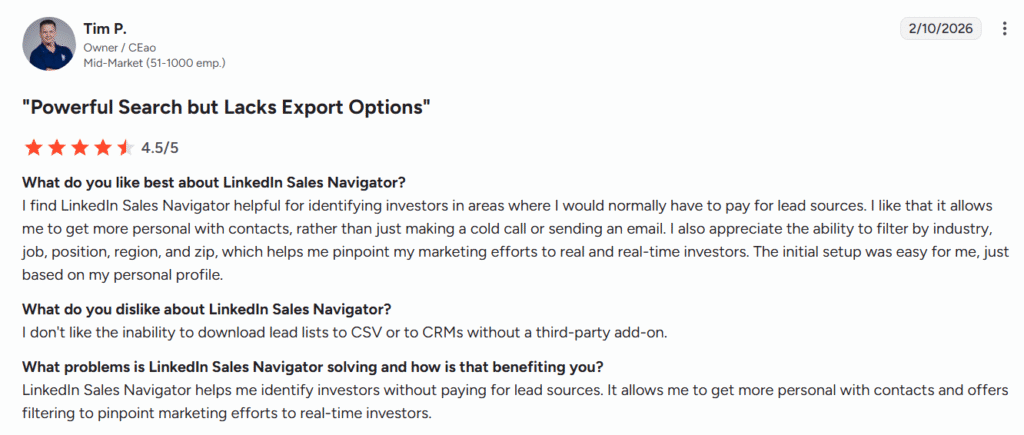
What Tim Pagel like and dislike about LinkedIn Sales Navigator
4. Apollo.ai
Best For: Full-funnel sales teams and outbound automation
Free Credits: 75 free credits per user per month
Apollo.io is another powerful top email finder tool that helps you discover and connect with verified business contacts across industries. It has a database of 210M+ contacts and 30M+ companies.
You can search and filter leads by job title, company size, industry, location, or buyer intent, making it easy to find the right people for your email campaigns.
Once you find the right person, then you can reach out to them with personalized sales emails or calls.
Plus with smart filters, built-in email automation and AI lead suggestions, Apollo helps you run targeted, multi-channel outreach effortlessly.
Key Features of Apollo:
- Offers 65+ filters to find targeted leads.
- You can use AI suggestions to find high-potential leads
- Built-in dialer with call recordings and CRM logging
- Custom meeting links and Gmail scheduling.
- Email tracking for delivery, opens, and clicks.
- Free Chrome extensions for LinkedIn, Gmail, Outlook, Salesforce.
- Integrates with HubSpot, Salesforce, and Pipedrive.
- Track job changes, website visits, and intent data for sales to find the right time to reach out
Pros of Apollo:
- Simple and easy-to-use interface.
- 7-tier email verification for accurate results.
- Helps automate follow-ups and customer emails.
Cons of Apollo:
- Some contact details can be inaccurate.
- Advanced features take time to learn.
- Pricing is high for small businesses.
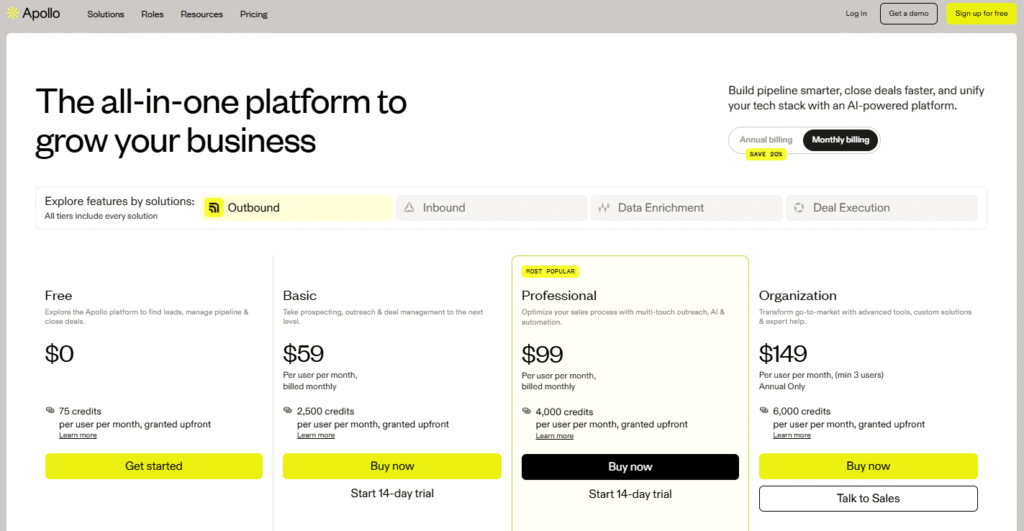
Pricing of Apollo:
- Free Plan available (75 credits per user per month)
- Basic Plan: $59/month (2500 credits per user per month)
- Professional Plan: $99/month (4000 credits per user per month)
- Organization Plan: $149/month (6000 credits per user per month)
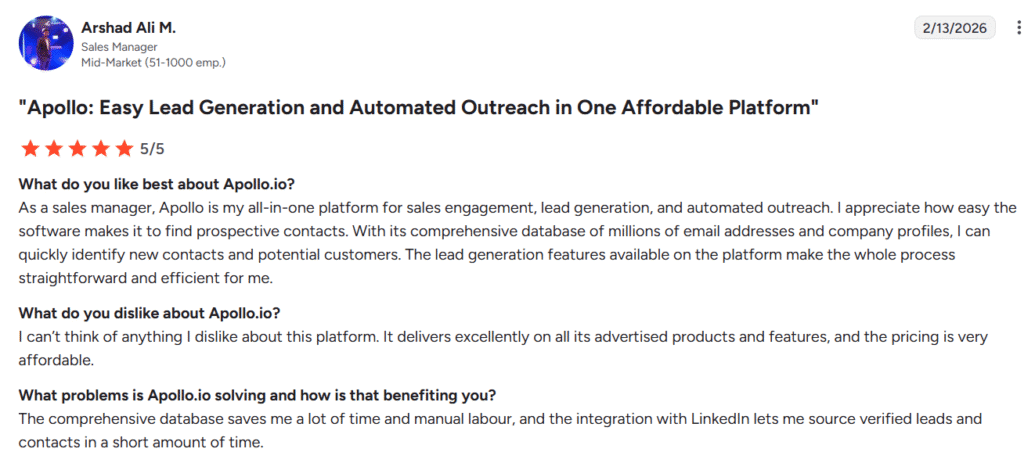
What Arshad Ali likes and dislike about Apollo.io (Source: G2)
5. Adapt.io
Best For: Fast B2B email discovery with simple filters
Free Credits: Limited trial credits (no ongoing free plan)
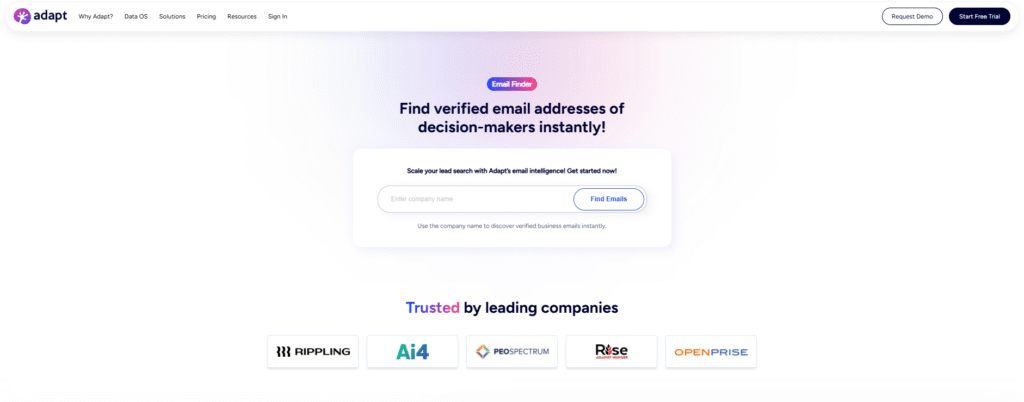
Adapt.io is also a popular tool for finding verified B2B email addresses in seconds.
Just enter a name, company, or use filters like industry, revenue, and job title. Adapt will then show accurate, real-time verified contacts instantly.
You can export emails directly to your CRM or download them as CSV. With Adapt, finding the right people and building targeted b2b contact lists becomes fast, easy, and accurate.
Key Features of Adapt.io:
- Find verified B2B emails by name, company, or domain.
- 20+ filters like industry, revenue, and job title.
- Offers real-time email verification for higher accuracy.
- Bulk email search and one-click export via API.
- Job change alerts and contact updates.
- Lead enrichment with verified and updated data.
Pros of Adapt.io:
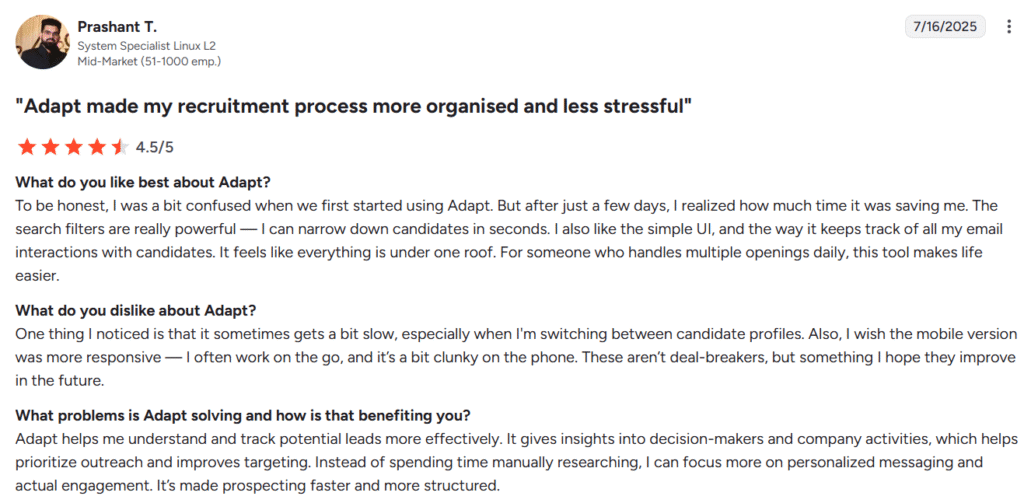
- Simple and easy-to-use interface.
- Keeps track of all email interactions in one place.
- Dedicated and responsive support team.
Cons of Adapt.io:
- The mobile version could be more responsive.
- The free plan has limited credits, so you need to upgrade for full use.
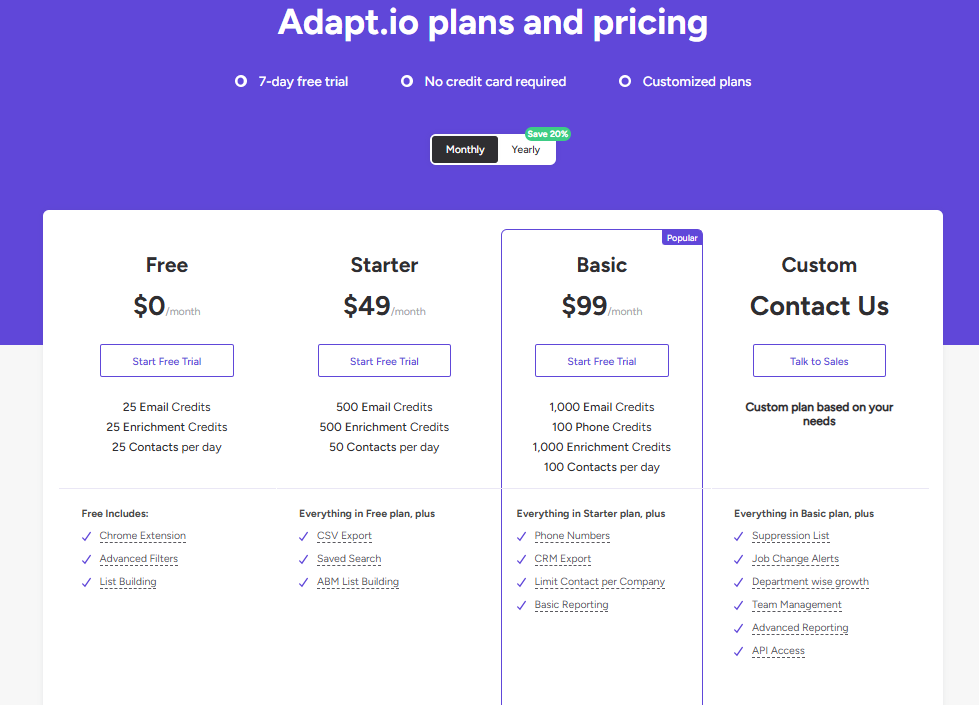
Pricing of Adapt.io:
- Has a 7-day free trail (50 email credits)
- Starter Plan: $49/month (500 email credits)
- Basic Plan: $99/month (1000 email credits)
- Custom Plan
What Prashant like and dislikes about Adapt.io, (Source: G2)
6. GetProspect
Best For: Affordable LinkedIn email extraction and bulk searches
Free credits: 50 email finds/month
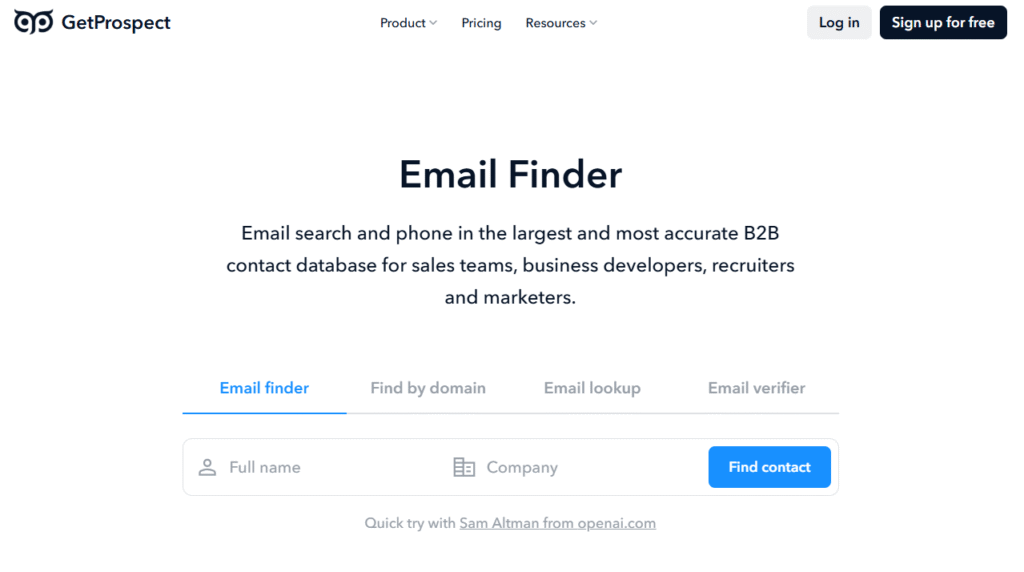
GetProspect is a simple and free email search tool designed for sales teams, recruiters, and marketers. It gives you access to a massive database of 200M+ contacts with accurate and up-to-date results.
You can easily search for emails by name, company, or domain. With its Chrome extension, you can find and export verified emails directly from LinkedIn or Sales Navigator. And even export up to 2,500 leads at once.
Its bulk domain search makes it easy for you to find emails for multiple companies at once. Plus, the free email verifier checks every address and marks it as valid, invalid, or unknown.
Key Features of GetProspect:
- Real-time email verification for accurate and clean data.
- Chrome extension to find and export emails directly from LinkedIn.
- Email tracking, analytics, and A/B testing for campaigns.
- Enrich contacts with 40+ data points like job title, location, revenue.
- Native integrations with HubSpot, Salesforce, Pipedrive, and Zoho.
- Export data via CSV, Zapier, or Google Sheets Add-on.
Pros of GetProspect:
- Free plan available for basic email finding and verification
- Has an email lookup feature
- Pricing is affordable compared to other email finder tools
Cons of GetProspect:
- Limited database coverage compared to other tools
- Not much intuitive user interface
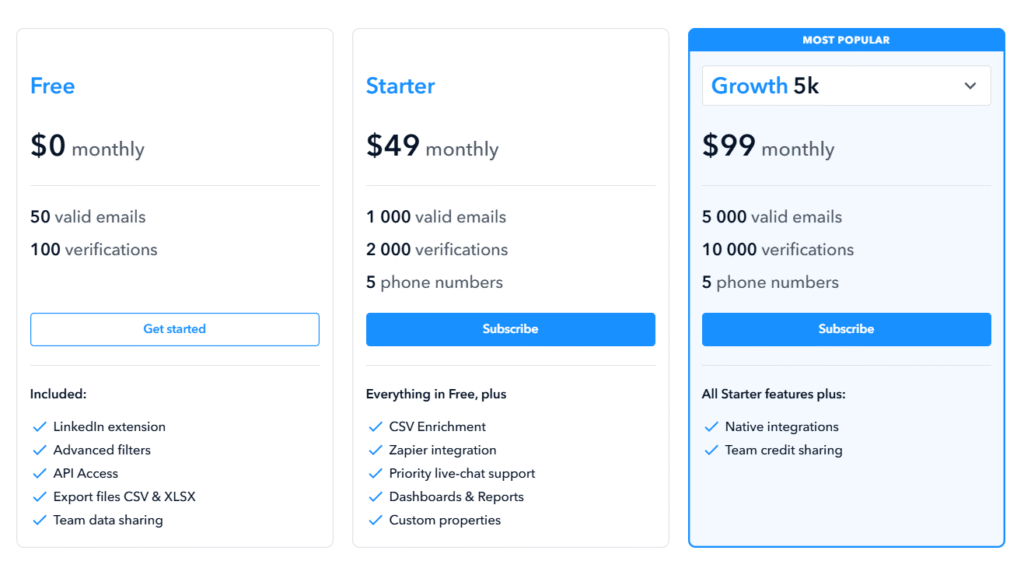
Pricing of GetProspect:
- Free Plan available (50 valid emails)
- Starter Plan: $49/month (1000 valid emails)
- Growth 5k Plan: $99/month (5000 valid emails)
- Growth 20k Plan: $199/month (20,000 valid emails)
- Growth 50k Plan: $399/month (50,000 valid emails)
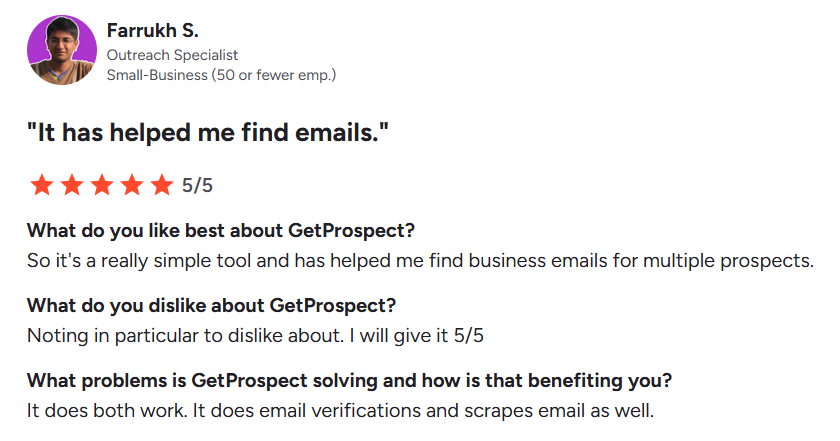
What Farrukh likes and dislike about GetProspect, (Source: G2)
7. Reply.io
Best For: Multichannel sales outreach with built-in automation
Free Credits: No permanent free email credits
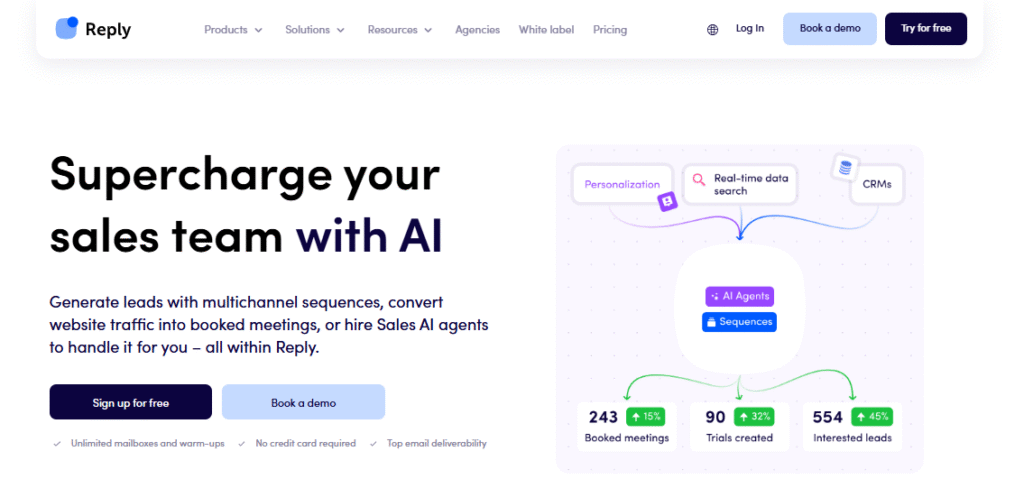
Reply.io is an AI-powered sales outreach and email finder tool. It helps you discover verified contacts/leads through email, LinkedIn, calls, or SMS.
The platform has 1B+ contacts and 60M+ companies worldwide. It works by letting you search prospects using filters like job title, company, or location.
Once you’ve found the right leads, you can add them to outreach sequences. Track opens, clicks, and replies in real time and sync everything to your CRM for a smooth workflow.
Key Features of Reply.io:
- Verified email finder with bulk search support.
- 14 filters for precise targeting and segmentation.
- Chrome extension to find emails directly on LinkedIn.
- Reach prospects through email, LinkedIn, phone, or SMS.
- Built-in email verifier for clean, accurate lists.
- Auto-sync with CRMs like HubSpot and Salesforce.
- Download contact lists as CSV for easy sharing.
- Ability to save prospects without emails for LinkedIn outreach.
Pros of Reply.io:
- Easy-to-use interface
- Multichannel outreach automation with real-time tracking.
- Allow you to manage several email accounts
Cons of Reply.io:
- Too many features can get overwhelming for the user
- Pricing high compared to other email lookup tools
Pricing of Reply.io:
- Agency Core: $210/month
- Agency AI SDR: $500/month/client

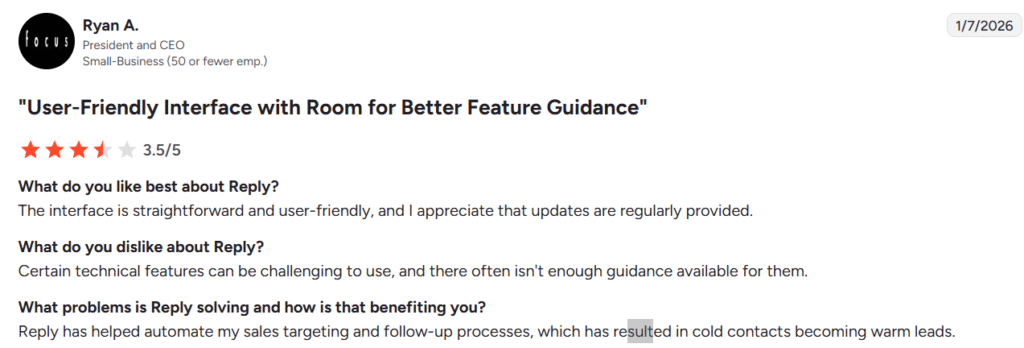
What Ryan likes and dislikes about Reply.io, (Source: G2)
8. Cognism
Best For: Enterprise sales teams needing compliance-ready data
Free Credits: No free plan
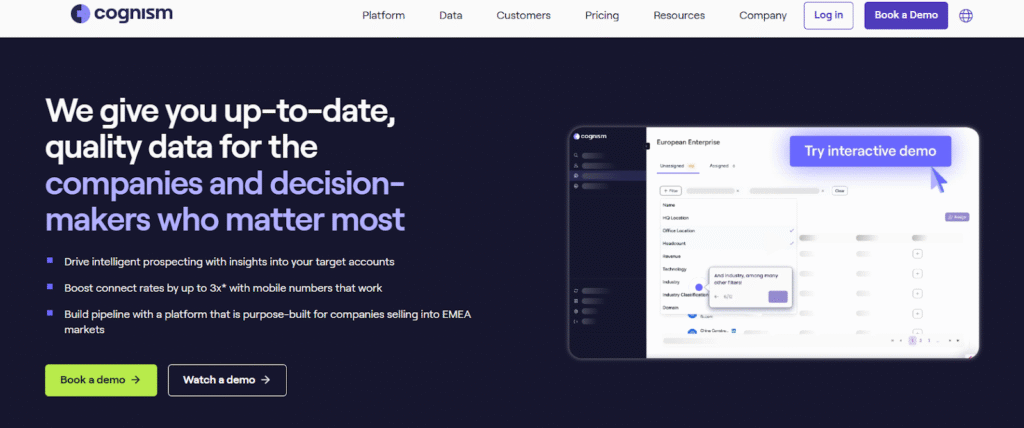
Cognism is an AI-powered sales intelligence and email finder tool made for B2B teams. It helps you find verified b2b emails and direct mobile numbers in seconds.
Cognism uses advanced filters and AI to help you build targeted prospect lists based on company size, job title, industry, or location.
You can also track intent data and buying signals like job changes to reach leads at the right time. With its free browser extension, you can pull verified contact details straight from LinkedIn or Sales Navigator and sync them to your CRM.
Key Features of Cognism:
- Five-layer email verification with compliance checks.
- AI-powered search to find relevant contacts fast.
- Advanced filters by company, job title, size, and location.
- On-demand enrichment to update existing lead lists
- CRM integrations with HubSpot, Salesforce, and Outreach.
- Cognism cross-checks numbers with Do Not Call lists in 13+ countries.
- Diamond Data® with human-verified phone numbers for accuracy
Pros of Cognism:
- Real-time verified data
- GDPR, CCPA, and SOC 2 certified data security
- Supports multi-channel outreach software (calls, emails, and LinkedIn)
- Strong international coverage (EMEA, North America, and APAC)
Cons of Cognism:
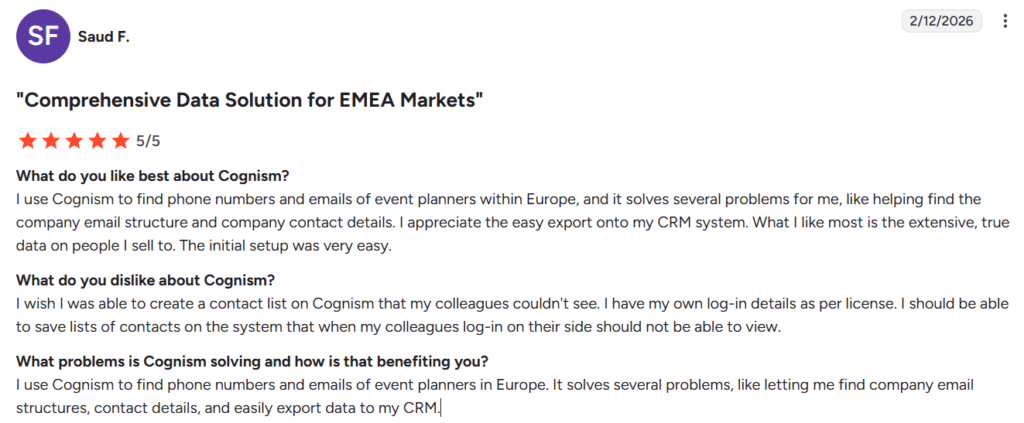
- The data isn’t always 100% accurate
- You can only view 25 contacts per page. Competitors allow up to 50
- Costing is high as per certain users
Pricing of Cognism:
You need to contact Cognism’s sales team.
What Saud likes and dislikes about Cognism, (Source: G2)
9. Clearout
Best For: Maximum email verification accuracy & list cleaning
Free Credits: 100 free credits at sign-up
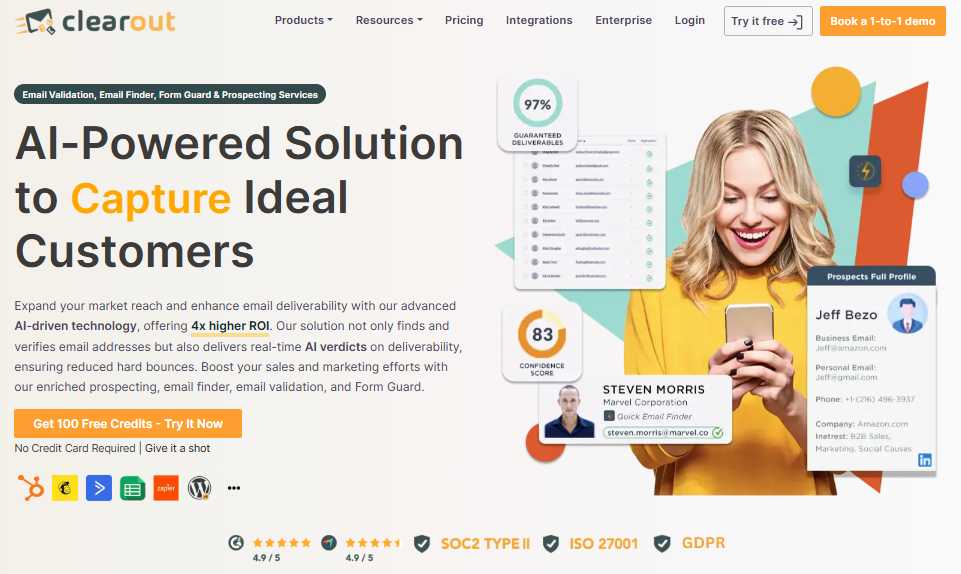
Clearout is an AI-powered free email finder tool that helps you find verified B2B email addresses with 99% accuracy.
The tool verifies every email in real time, removes duplicates, and keeps your email outreach clean, compliant, and effective.
Whether you need a single email or a bulk email list, Clearout can handle it all through quick uploads or direct API integration. It also works with your CRM, so you can sync verified contacts and start reaching out right away.
Key Features of Clearout:
- Checks every email instantly to confirm it’s valid.
- Find one or bulk emails using file upload or API.
- Shows a confidence score for each email.
- Detects inboxes even on catch-all domains.
- Gives clear reports on results and usage.
- Removes duplicate contacts to save credits.
- Works with your CRM and supports API automation.
Pros of Clearout:
- 100% GDPR and ISO compliant.
- Bulk upload and export option
Cons of Clearout:
- Pricing can be bit higher for small businesses
- Limited integrations
Pricing of Clearout:
- Free Plan available (100 free credits)
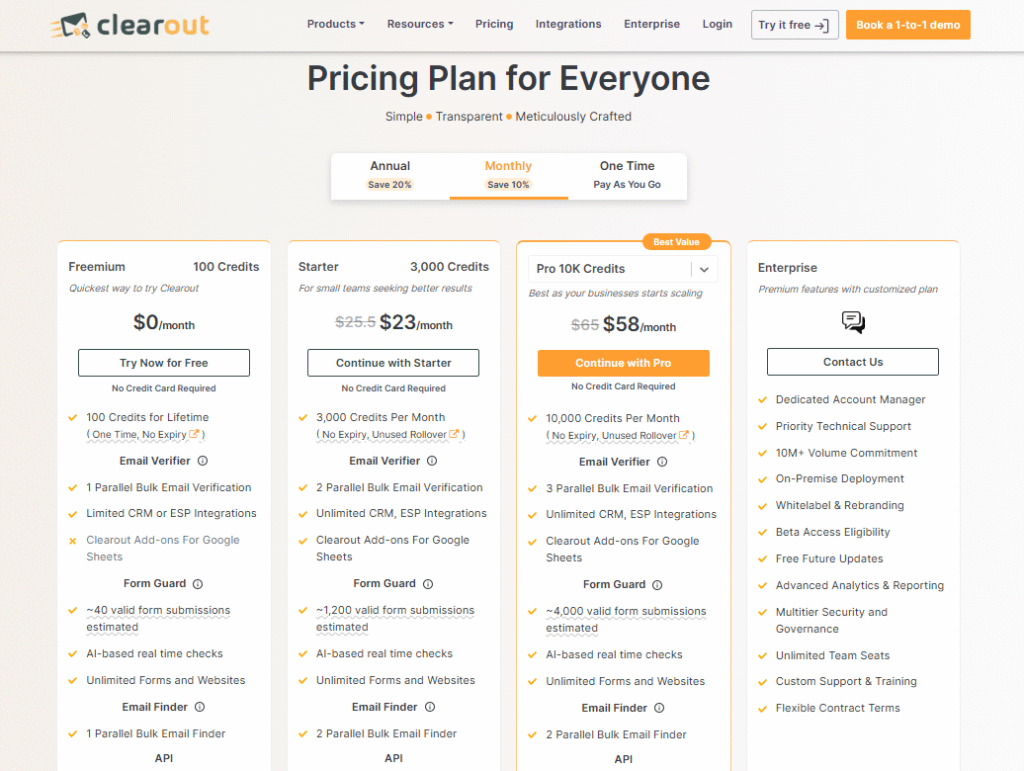
- Starter Plan: $23/month (3000 credits per month)
- Pro Plan: $58/month to $4,950/month (10,000 credits per month to 5M credits per month)
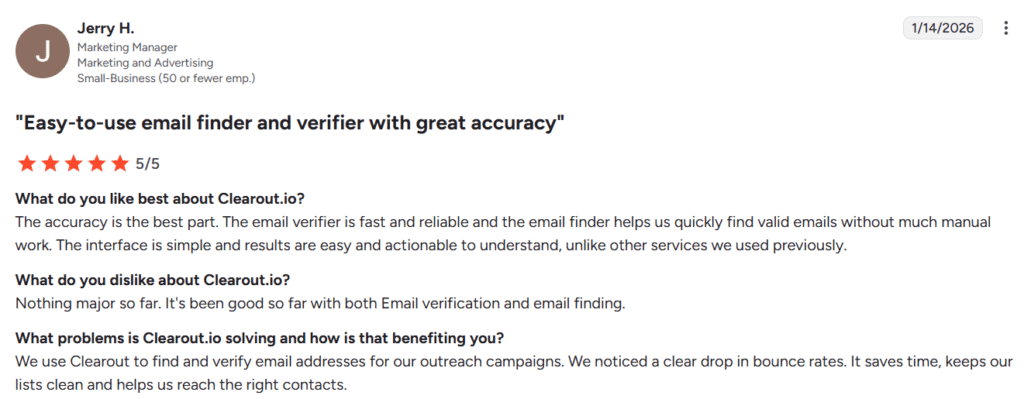
What Jerry likes and dislike about Clearout, (Source: G2)
10. Prospeo
Best For: Bulk email discovery from Google & company domains
Free Credits: 100 Free credits on signup
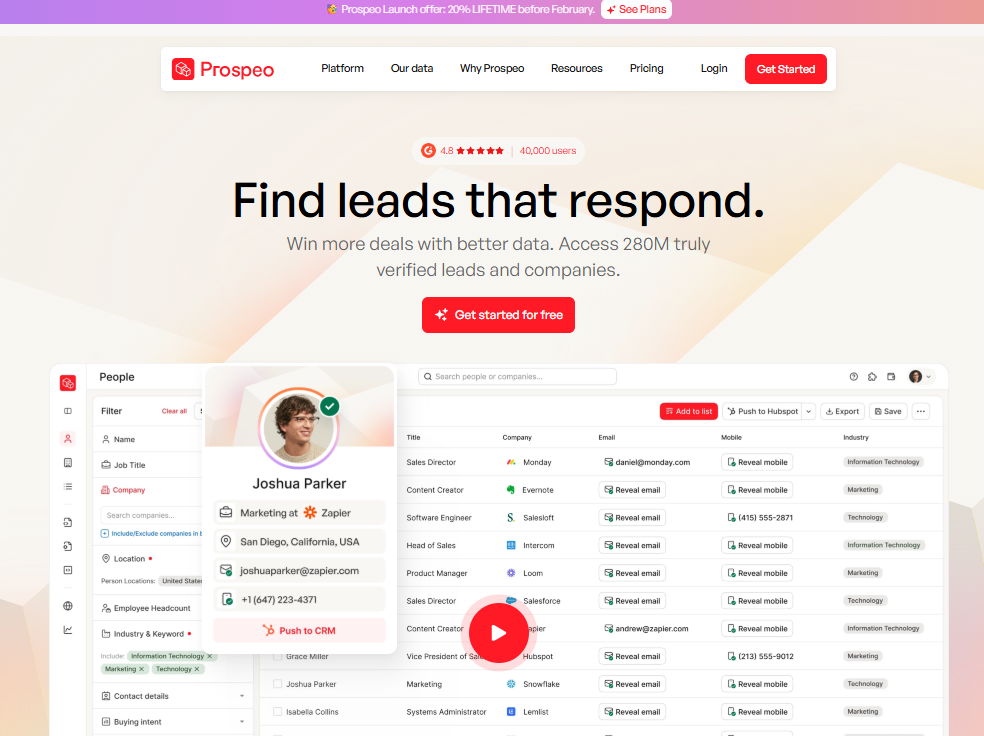
Prospeo is a simple and accurate email finder software that helps you find verified email addresses and phone details, including verified B2B emails.
You can find emails directly from Google search results, websites, or company domains using its free Chrome extension.
For larger prospect lists, you can upload names and companies in bulk and get a clean, ready-to-use CSV file in seconds.
Another add on feature of prospeo is, it verifies every email before showing results, so you only pay for valid ones.
Key Features of Prospeo:
- Find verified emails directly from Google search results.
- Get verified B2B emails and mobile numbers from any website.
- Built-in email verification (pay only for valid emails)
- Confirms email validity status even for complex patterns.
- Simple API integration for automated email discovery.
- Free Chrome extension to find and verify emails anywhere online.
Pros of Prospeo:
- Easy CSV or Excel export for quick use.
- Fast, affordable, and accurate for small and large prospect lists.
- Accurate data with features like Find Email, Enrich LinkedIn Profile, and Mobile Finder.
Cons of Prospeo:
- 5,000 limit on LinkedIn Sales Navigator scraping.
- Some advanced features are limited.
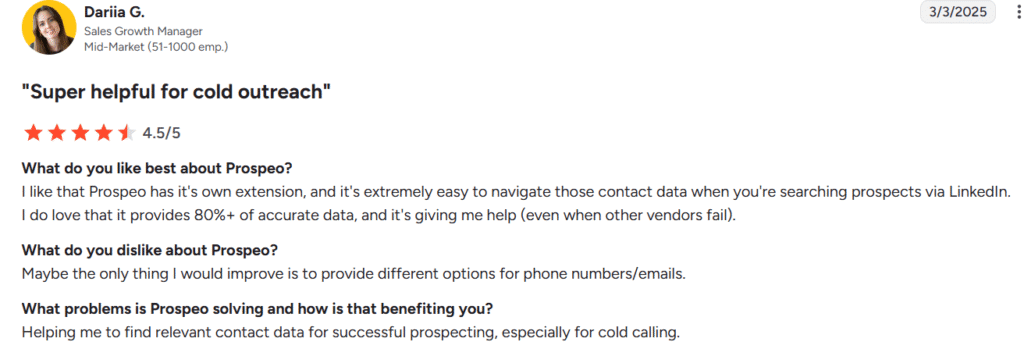
Pricing of Prospeo:
- Have a free plan (100 credits per month)
- Starter Plan: $49/user/month (2000 credits per user per month)
- Growth Plan: $99/user/month (5000 credits per user per month)
- Pro Plan: $249/user/month (15,000 credits per user per month)
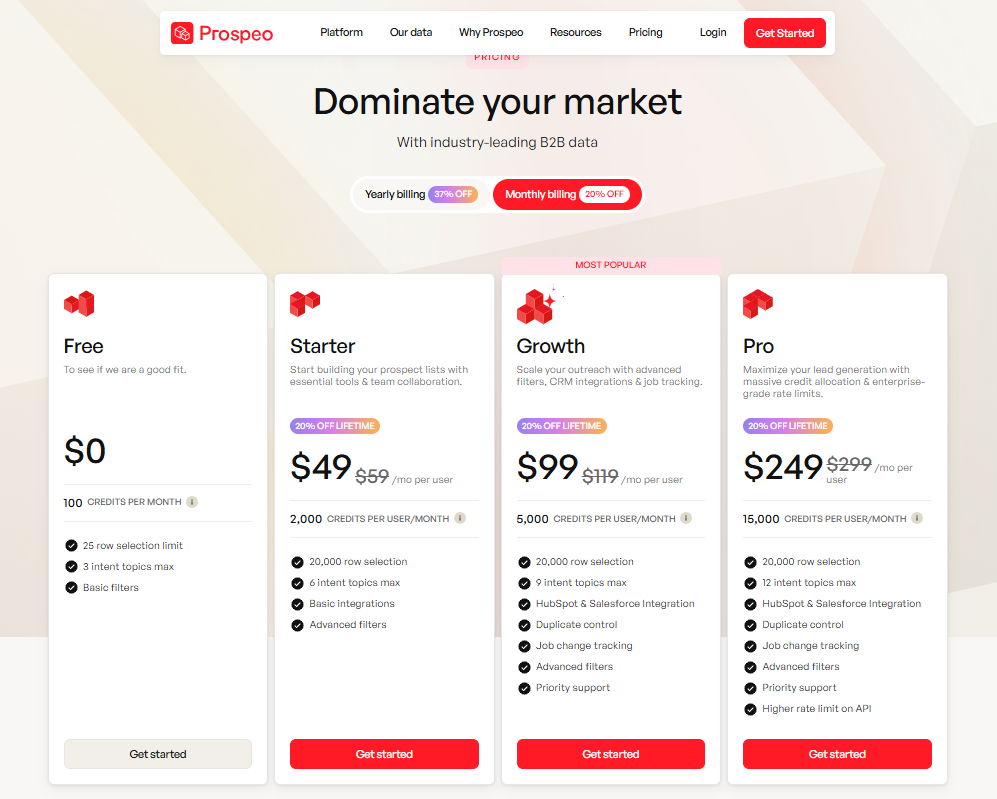
What Dariia likes and dislike about Prospeo, (Source: G2)
Conclusion
The email lookout tools listed above are some of the most trusted options available. They help you find real, accurate, and up-to-date contacts that are ready for email outreach campaigns.
Try a few, see which one fits your workflow best, and start connecting with the right people faster.
FAQs
1. Are Email finder tools accurate?
Most email finder tools available are accurate, but no tool is 100% perfect. Accuracy depends on data freshness, verification depth, and how often contacts change roles.
Good email finder tools usually offer 90–98% accuracy, which is way better than manual searching (around 50%). They use smart checks like email patterns, domain info, and mail server validation.
2. Is there any free way to look up someone’s email address?
Yes. Tools like Snov.io, Skrapp, and GetProspect offer free plans with limited credits.
3. Are email finder tools legal to use?
Yes. Email finder tools are legal if you use them properly. They collect work email addresses that are already public and follow email laws (GDPR and CAN-SPAM). Just send relevant emails, use them for real business reasons, and always give people the option to unsubscribe. Using them for spam is where it becomes a problem
4. What features should I look for in an email finder tool?
When choosing the right email finder, look for high-accuracy email verification, a reliable database, and bulk email search. These features ensure the emails you find actually work. CRM, API, and automation integrations help streamline outreach, while LinkedIn Chrome extensions, advanced filters, and data-privacy compliance improve lead quality and efficiency.
Read More About:
Best SaaS Link Building Agencies (2026)
Top SaaS SEO Agencies of 2026
